
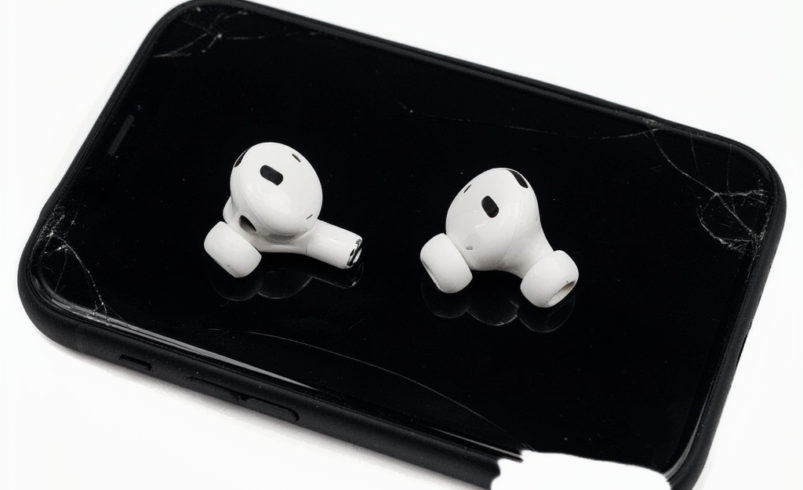

AirPods make listening to music, attending calls, watching videos, and enjoying podcasts convenient. However, that convenience can quickly disappear when your earbuds constantly need charging. If your AirPods used to last for hours but now die after a short period, you may be wondering, Why Do My AirPods Die So Fast? Fast battery drain can be caused by normal battery aging, charging problems, connection issues, settings, environmental conditions, or internal hardware damage.
Some battery problems can be resolved with simple troubleshooting. Others may indicate that the AirPods or charging case need professional attention. Understanding the possible causes can help you avoid unnecessary replacement and determine when it is time to seek reliable repair help.
At CellularPort, customers can get quick and lasting repairs for laptops, phones, tablets, and gaming consoles at an affordable price. Professional device repair can be especially useful when basic troubleshooting does not resolve persistent hardware-related problems.
Why Do My AirPods Die So Fast?
There is no single answer to the question, Why Do My AirPods Die So Fast? AirPods use small rechargeable lithium-ion batteries, and these batteries naturally lose capacity as they age. However, battery degradation is not the only possible cause.
Fast AirPods battery drain may result from:
- An aging or degraded battery
- Frequent charging cycles
- A charging case that is not charging correctly
- Dirty charging contacts
- Bluetooth connection problems
- High listening volume
- Power-intensive features
- Outdated software or firmware
- Extreme temperatures
- Physical damage
- Moisture or liquid exposure
- One AirPod having a weaker battery than the other
- Charging accessories or port problems
Identifying the cause is important because the right solution depends on the source of the problem. A simple charging issue requires a different approach from a severely degraded battery.
AirPods Battery Naturally Gets Weaker Over Time
One of the most common reasons for reduced AirPods battery life is normal battery aging. Rechargeable batteries have a limited lifespan. As they go through repeated charge and discharge cycles, their ability to hold the same amount of energy gradually decreases.
When AirPods are relatively new, they can provide the expected listening time under suitable conditions. After extended use, however, the battery may not retain the same capacity.
You may notice symptoms such as:
- AirPods reaching low battery much sooner than before
- Frequent charging throughout the day
- Unexpected shutdowns
- One earbud losing power quickly
- Battery percentages dropping unusually fast
- Significantly shorter listening sessions
If the decrease happened gradually over a long period, battery wear is a likely possibility. Software adjustments may help reduce unnecessary power consumption, but they cannot restore a severely worn battery to its original capacity.
Frequent Charging Can Lead to Battery Wear
AirPods are designed to be charged regularly, so normal charging should not be considered a problem by itself. However, extensive daily use means the batteries may go through many charging cycles over time.
Someone who uses AirPods for several hours every day may recharge them much more frequently than someone who uses them occasionally. Over months and years, this contributes to normal battery aging.
This is one reason why older AirPods may appear to die much faster than they did when they were new.
If your AirPods have been used heavily for a long period and battery performance has steadily declined, professional battery evaluation may help determine whether the battery is reaching the end of its useful life.
Your Charging Case Could Be Causing the Problem
Many people immediately blame the earbuds when battery life becomes poor, but the charging case can also be responsible.
The case provides power to the AirPods when they are placed inside. If the case is not holding enough charge or is experiencing a charging problem, the earbuds may not receive a complete recharge.
Check the following:
- Whether the charging case has enough battery
- Whether both AirPods show that they are charging
- Whether the case charges normally
- Whether the charging cable works properly
- Whether the charging port is free from debris
- Whether the earbuds sit correctly inside the case
If an AirPod repeatedly comes out of the case with a low battery despite being stored there for a long time, the charging connection should be investigated.
Dirty Charging Contacts Can Prevent Proper Charging
Small charging contacts inside the case connect with the AirPods. Dust, lint, dirt, and other debris can interfere with this connection.
An AirPod may appear to be inside the case but may not actually be receiving power. This can lead to an unpleasant surprise when you remove the earbuds later and discover that one of them has very little battery remaining.
Carefully inspect the charging areas and keep them clean. Avoid using sharp metal objects because they can damage delicate contacts.
If an AirPod still fails to charge consistently after careful cleaning, the problem could involve the charging contacts, case, or internal hardware.
Why Does One AirPod Die Faster Than the Other?
Sometimes the problem affects only one earbud. You may find that the left AirPod remains charged while the right AirPod reaches a low battery percentage much earlier.
A small difference between the two earbuds can occur during normal use. However, a large and repeated difference may indicate an issue with one battery or charging connection.
Possible causes include:
- Different battery conditions
- Uneven charging
- A dirty contact
- More intensive use of one microphone
- Battery degradation in one earbud
- Internal hardware problems
Check the battery percentage of each AirPod separately. If one consistently performs much worse than the other, consider having the earbuds professionally inspected.
Bluetooth Connection Problems May Affect Battery Usage
AirPods continuously communicate wirelessly with a connected device. If the connection is unstable, the earbuds may repeatedly attempt to reconnect.
Frequent disconnections can be frustrating and may contribute to unnecessary power consumption. If you notice both connectivity problems and fast battery drain, try reconnecting the AirPods.
You can also test them with another compatible device when possible. If the same battery problem continues regardless of the connected device, the cause is more likely to be related to the AirPods or charging system.
High Volume Can Reduce Battery Life
Listening at very high volume levels for long periods can increase power consumption. The speakers have to work continuously, and extended audio playback can use more of the available battery.
If your AirPods die faster than expected, try lowering the volume for a few listening sessions and compare the results.
Reducing the volume may not completely solve a serious battery problem, but it can help improve battery efficiency. It can also provide a more comfortable listening experience during extended use.
Noise Control and Other Features Can Use More Power
Depending on the AirPods model, certain features can increase battery consumption. Active noise cancellation, transparency-related functions, spatial audio, microphones, automatic detection, and other features may affect how quickly the battery is used.
These features are useful and do not necessarily need to be turned off permanently. Instead, temporarily changing some settings can help you identify whether a particular feature is contributing to unusually fast battery drain.
If battery performance remains poor even when power-intensive features are reduced, the issue may be related to battery health or hardware.
Software Problems May Affect AirPods Performance
Software and firmware can influence how connected devices communicate and operate. If your AirPods suddenly begin behaving differently, checking your connected device and ensuring it has appropriate software updates can be a useful troubleshooting step.
A temporary software or connection issue can sometimes cause unusual battery behavior.
Try disconnecting and reconnecting the AirPods. If necessary, resetting them can also help resolve certain configuration problems.
However, software troubleshooting is unlikely to restore normal battery capacity when the physical battery has significantly degraded.
Extreme Temperatures Can Affect Battery Performance
Lithium-ion batteries can be affected by very hot or very cold conditions. Temporary exposure may affect battery performance, while repeated or severe exposure can contribute to long-term battery deterioration.
Avoid leaving AirPods inside a hot vehicle or exposing them to direct sunlight for extended periods. Extremely cold conditions can also temporarily reduce available battery performance.
Allow your AirPods to return to a moderate temperature before using or charging them if they have been exposed to severe conditions.
Proper storage can help protect both the earbuds and charging case.
Physical Damage Can Cause Fast Battery Drain
A drop or impact can damage internal components even when there are no obvious cracks on the exterior. Internal damage may affect battery connections, charging components, microphones, speakers, or wireless functionality.
If fast battery drain began immediately after dropping your AirPods, physical damage should be considered.
Repeated charging or resetting may not solve a hardware-related problem. A professional inspection can help determine whether an internal component has been affected.
Liquid Exposure Can Lead to Battery Problems
Moisture and liquid exposure can create additional problems for electronic devices. Even if your AirPods appear to work immediately after contact with liquid, internal components can potentially develop issues later.
Fast battery drain after moisture exposure should not automatically be treated as ordinary battery aging.
If your AirPods have been exposed to significant liquid and then begin behaving unusually, professional evaluation is safer than attempting to open the earbuds yourself.
Avoid applying heat or using unsafe methods to dry internal electronics.
How to Troubleshoot AirPods That Die Quickly
Before arranging a repair, try a few basic troubleshooting steps.
Check Both AirPods’ Battery Levels
Check the battery percentage of each AirPod and the charging case separately. This helps determine whether the problem affects both earbuds or only one.
If both AirPods drain rapidly, battery aging or a common setting may be responsible. If only one drains quickly, examine its charging connection and battery condition.
Fully Charge the Charging Case
Make sure the charging case itself has enough power. A low case battery can prevent the AirPods from receiving a complete charge.
Use a reliable charging cable and adapter and verify that the case responds normally while charging.
Clean the Charging Contacts
Carefully remove visible dust and debris from the charging areas. Keep the process dry and gentle.
Do not insert sharp objects into the case or attempt to scrape sensitive contacts aggressively.
Reconnect the AirPods
Disconnect the AirPods from your device and pair them again. This can resolve certain temporary Bluetooth and configuration issues.
Reset the AirPods
If reconnecting does not help, resetting the AirPods may resolve persistent software-related or pairing problems. Use the reset procedure appropriate for your model.
Test Battery Life Again
After troubleshooting, use the AirPods normally and monitor their performance. If they still lose power unusually quickly, the problem may be beyond basic software settings.
When Should You Seek Professional AirPods Repair?
Professional assistance may be appropriate when basic troubleshooting fails to improve battery life.
Consider seeking repair evaluation if:
- Your AirPods last only a short time after charging
- One AirPod dies significantly faster
- The earbuds do not charge consistently
- The charging case does not hold power
- Charging stops unexpectedly
- The problem began after a drop
- The AirPods were exposed to liquid
- Battery drain continues after resetting
- The AirPods become unusually warm
- The battery performance has steadily deteriorated with age
A technician can assess the charging system and other components before recommending a solution.
Why Professional Diagnosis Is Better Than Guesswork
Replacing a component without identifying the actual problem can result in unnecessary expense.
For example, replacing an AirPod battery may not solve the issue if the real cause is a damaged charging case or faulty charging contact. Likewise, replacing a charging accessory will not restore battery capacity if the internal battery is severely degraded.
Professional diagnosis focuses on the source of the problem. This allows you to understand whether repair, replacement, or another solution is more appropriate.
At CellularPort, the same repair-focused approach applies across multiple device categories, including phones, tablets, laptops, computers, and gaming consoles. Reliable diagnosis is an important part of achieving a lasting repair.
How to Maintain Better AirPods Battery Life
You cannot prevent rechargeable batteries from aging, but proper care can help maintain their performance.
Follow these habits:
- Keep your AirPods away from extreme temperatures.
- Avoid unnecessary exposure to moisture.
- Keep charging contacts clean.
- Store the earbuds in their charging case when not in use.
- Use dependable charging accessories.
- Avoid dropping or crushing the charging case.
- Keep your connected devices updated.
- Monitor unusual changes in battery performance.
- Avoid unnecessarily high listening volume.
- Check that both AirPods are actually charging before storing them.
Good maintenance cannot stop normal battery aging, but it can help reduce avoidable charging and performance problems.
Repair or Replace Your AirPods?
The best choice depends on the condition and age of your AirPods.
If the earbuds are relatively new and the problem is caused by charging contacts, connection issues, or another repairable problem, repair may be worth considering.
If the batteries have reached the end of their useful life or the device has extensive internal damage, replacement may be more practical.
A professional inspection can help you compare the available options instead of making a decision based only on symptoms.
The goal is to find a cost-effective solution that provides dependable performance.
Do Not Ignore Serious Battery Symptoms
Fast battery drain is frustrating, but some battery-related symptoms should receive immediate attention.
Stop using the affected device and seek professional assistance if an AirPod or charging case becomes unusually hot, develops visible swelling, produces an unusual smell, or shows other signs of serious battery damage.
Do not puncture, crush, open, or attempt to remove a lithium-ion battery yourself. Small batteries contain components that require appropriate handling.
DIY repairs can create additional damage or safety risks when the correct tools and experience are unavailable.
Get Reliable Repair Help From CellularPort
If you continue asking, Why Do My AirPods Die So Fast, do not assume that the battery is automatically defective. The problem could be caused by normal battery aging, a charging case issue, dirty contacts, software settings, Bluetooth problems, temperature exposure, or physical damage.
Basic troubleshooting is a useful first step. However, persistent fast battery drain deserves professional attention, especially when one AirPod behaves differently from the other or the problem began after physical or liquid damage.
CellularPort focuses on quick and lasting repairs for laptops, phones, tablets, and consoles at an affordable price. When your electronic device develops a persistent problem, professional diagnosis can help identify the cause and guide you toward a practical repair solution.
Instead of repeatedly charging your AirPods and accepting poor battery performance, consider getting the problem evaluated when troubleshooting no longer works.
Final Thoughts
AirPods are convenient wireless accessories, but their rechargeable batteries naturally lose capacity over time. Fast battery drain can also result from charging problems, dirty contacts, Bluetooth connectivity, high volume, advanced features, software issues, extreme temperatures, physical damage, or liquid exposure.
If you are wondering Why Do My AirPods Die So Fast, begin by checking the battery levels of both earbuds and the charging case. Make sure the AirPods are properly seated, clean the charging contacts carefully, check your charging accessories, reconnect the earbuds, and review settings that may increase power consumption.
When these steps do not solve the problem, professional repair evaluation can help determine whether the battery, charging case, or another internal component is responsible.
With the right diagnosis and appropriate repair approach, you may be able to restore more reliable performance and extend the useful life of your AirPods instead of immediately replacing them.