

Keeping your contact information updated is important when using Ticketmaster. Your phone number can be used for account verification, security checks, and receiving one-time verification codes. If you have changed your mobile number, lost access to your previous number, or simply want to correct an outdated phone number, updating your Ticketmaster profile can help you avoid account-access problems.
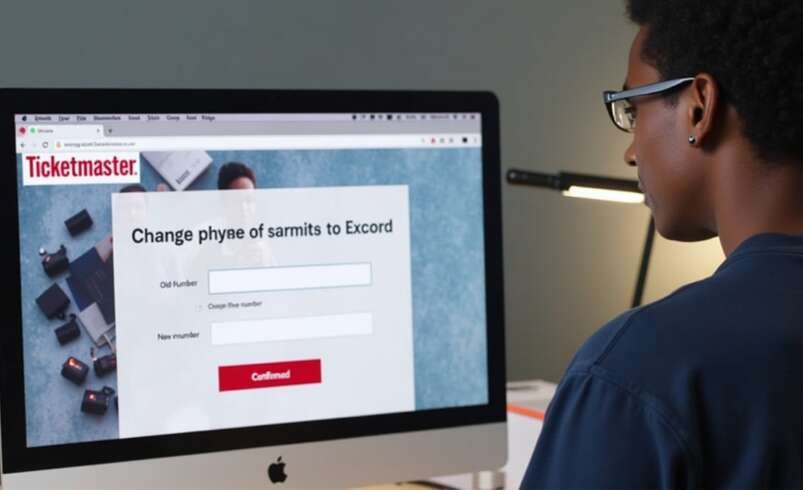
If you are searching for how to change phone number on Ticketmaster, the process is relatively straightforward when you still have access to the phone number currently connected to your account. Ticketmaster’s current instructions direct users to sign in, open My Profile, select Profile Details, and choose Update Number. You then verify your current number before entering and verifying the new one.
This guide explains How to change Ticketmaster phone Number, what to do if you cannot access your old number, and how to troubleshoot common verification problems.
Why Change Your Phone Number on Ticketmaster?
There are several reasons you might need to update the phone number associated with your Ticketmaster account. You may have purchased a new phone with a different number, changed mobile carriers, moved to a new country, or accidentally entered an incorrect number when setting up your account.
An outdated phone number can become inconvenient when Ticketmaster requires verification. If a security code is sent to a number you no longer control, you may not be able to complete the verification process yourself.
Updating the number ahead of time is particularly useful before purchasing tickets for a popular concert, sporting event, or other high-demand event.
How to Change Phone Number on Ticketmaster
If you are looking for these general steps through Ticketmaster’s website.
1: Sign In to Ticketmaster
how to change phone number on Ticketmaster, follow
Open the Ticketmaster website using your desktop computer or mobile browser.
Sign in to the Ticketmaster account associated with the phone number you want to change.
Make sure you are using the correct account. Some users have more than one account, especially if they have used different email addresses over time.
2: Open My Profile
Once you are signed in, go to My Profile.
Your profile contains important information connected to your Ticketmaster account.
3: Select Profile Details
Within your profile, select Profile Details.
This section contains account information that you can review and update.
4: Select Update Number
Look for the Update Number option.
Selecting this option begins the process of changing the phone number associated with your account.
Ticketmaster requires verification as part of the process to help protect your account.
5: Verify Your Existing Phone Number
Ticketmaster will ask you to verify the phone number currently connected to your account.
A one-time verification code may be sent to your existing phone number.
Enter the code when prompted.
If you receive the code successfully, you can continue with the phone-number change.
6: Enter Your New Number
After verifying your current number, enter the new phone number you want to associate with your account.
Double-check every digit before continuing.
A single incorrect digit can prevent you from receiving the next verification code.
7: Verify the New Number
Ticketmaster will send a verification code to the new number.
Enter the code in the appropriate field to complete the change.
Once the verification process is successfully completed, your new phone number should be associated with your Ticketmaster account.
How to Change Ticketmaster Phone Number Without Your Old Number
One of the most common problems occurs when users no longer have access to their old phone number. If you cannot receive the verification code sent to your existing number, you may not be able to complete the standard update process through your profile.
In this situation, Ticketmaster recommends contacting Fan Support for assistance. Explain that you have changed your phone number and no longer have access to the old number. Ticketmaster may need to verify your account before helping you update your contact information. Avoid repeatedly entering incorrect verification codes. Instead, use the official support process if you cannot access your previous number.
What If You Do Not Receive the Verification Code?
If you are trying to figure out how to change your phone number on Ticketmaster and the verification code does not arrive, there are several things you can check. First, make sure you entered the correct phone number.
Then check your phone’s connection. If your device has poor cellular service, the message may be delayed. Ticketmaster also recommends checking whether your phone is in Airplane Mode or Do Not Disturb mode. Restarting the device can sometimes help restore network connectivity.
You can also request another verification code if the option is available. If messages continue to fail, check with your mobile carrier to make sure SMS messages from the service can reach your phone.
Can You Use a Landline?
Ticketmaster supports phone verification through certain landline numbers. Instead of receiving a text message, a verification code can be delivered through a phone call. However, Ticketmaster states that certain services, including Google Voice and VoIP numbers, are not supported for its phone-verification process. If you use a landline, follow the instructions displayed during the verification process.
What If Your New Number Is Not Accepted?
Sometimes users enter a new number and receive an error message. First, verify that the number is entered correctly.
If you are using a mobile number, confirm that it can receive the required verification messages. Ticketmaster does not support every type of phone service for verification. Certain virtual or internet-based phone services may not qualify. If you believe your number should be supported but the system continues rejecting it, contacting Ticketmaster Fan Support can help determine the problem.
Changing Your Number Before a Ticket Purchase
If you know that your phone number has changed, update your account before purchasing tickets. This is especially important for high-demand events.
Popular concerts and sporting events can involve account verification, waiting rooms, security checks, and other processes. Having an outdated phone number can make an already time-sensitive purchase more difficult. Updating your information in advance gives you an opportunity to confirm that your new phone can receive verification codes.
Changing Your Number Before a Presale
Presales can be particularly time-sensitive. If you are planning to participate in a Ticketmaster presale, make sure your account information is accurate beforehand. Check your email address, phone number, payment information, and login credentials. If Ticketmaster asks you to verify your identity during the presale process, having access to your current phone can help you complete the verification without unnecessary delays.
Does Changing Your Phone Number Affect Your Tickets?
Changing the phone number associated with your Ticketmaster profile does not automatically mean that your existing tickets disappear. Your tickets are generally associated with your Ticketmaster account and the event order.
However, you should make sure you remain signed into the correct account after updating your information. If you have upcoming tickets and encounter an account-access issue after changing your number, contact Ticketmaster support rather than creating another account unnecessarily.
Keep Your Account Information Secure
When updating your phone number, make sure you are using the legitimate Ticketmaster website or official application. Never give a verification code to another person.
One-time codes are intended to verify access to your account. Someone asking you to share your code may be attempting to gain unauthorized access. If you receive a verification code that you did not request, do not share it. Use strong account credentials and keep your contact information current.
Common Mistakes When Changing a Phone Number
Several simple mistakes can make the process more difficult. One common mistake is entering the wrong new number. Always check the number carefully before requesting verification.
Another is trying to use a phone service that Ticketmaster does not support. Some users also repeatedly request verification codes. If the system limits requests, repeatedly asking for new codes may make the process more complicated. Finally, avoid using unofficial websites or individuals who claim they can change your Ticketmaster information for you.
When to Contact Ticketmaster Support
You should consider contacting Ticketmaster Fan Support if:
- You cannot access your old phone number.
- Verification codes never arrive.
- Your new number is repeatedly rejected.
- You cannot sign in to your account.
- You believe your account information has been changed without permission.
- You have upcoming tickets and cannot access your account.
When contacting support, provide useful information about the problem without sharing sensitive passwords or verification codes.
Final Thoughts
If you have been searching how to change phone number on Ticketmaster, the standard process begins by signing in to your account, opening My Profile, selecting Profile Details, and choosing Update Number. You then verify the existing number, enter the new number, and complete verification.
For anyone searching How to change Ticketmaster phone Number, remember that access to your existing number can make the process much easier. If you no longer have that number, contacting Ticketmaster Fan Support is the appropriate next step.
If your question is how to change your phone number on Ticketmaster, the most important thing is to complete the update before you need your account for a time-sensitive ticket purchase. Keep your phone nearby during verification, make sure the new number is correct, and never share one-time verification codes with anyone.