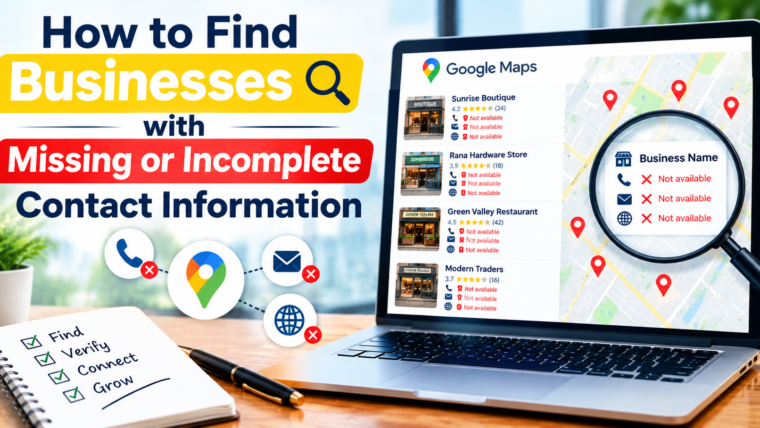


Finding businesses in search engines is not a problem, but collecting all the necessary information on the contact is. The business profile might lack a phone number, an outdated website, an incomplete address, and any other information that is needed. Use of a Google Map Data Extractor helps in collecting the necessary business information and building an improved lead database.
Why Is Complete Business Contact Information Important?
The right information ensures that the sales team reaches out to customers and manages lead campaigns in an efficient manner. Lack of some of this information will make the process inefficient. Before you contact a business, you need to verify whether all of the following information is present:
- Business name and category
- Phone number
- Website link and corresponding contact pages
- Business address
- Other business information
How Google Map Data Extractor Software Can Be Used for Identifying Missing Information
Google Map Data Extraction Software is useful for extracting all possible information from the businesses by using their listing. By virtue of the software and the data sources, one will be able to export the information like business name, address, phone number, website URL, category, rating, and review count.
Generally, this process includes such actions as selection of location or business category, collecting available data from listings, exporting it, and checking if any information is missing from records.
In this case, a Google Data Extractor can help to organize data received in order to verify it further. But extraction does not mean that any information that was never published will be extracted or that information will be up-to-date.
Steps to Find Businesses Without Complete Contact Information
Step 1: Research Relevant Business Listings
Define a certain location, business category, or service area. Limited searching scope will make the process of reviewing listing information much easier.
Step 2: Collecting Relevant Business Information
Use an appropriate Google Maps Data Scraper in order to get permitted and publicly available listing information. Choose data fields based on what you are trying to achieve from your research, for example, the name of the business, its phone number, site, links, and address.
Step 3: Identify Gaps in the Information
Look through the collected leads and identify the business records that lack phone, site, and/or address information. Distinguish whether there is no information at all or it is simply outdated information.
Step 4: Verify the Collected Data from Reliable Sources
Get the information about businesses from the official websites and contact pages of these businesses. Don’t assume that the lack of information means the lack of contact information.
Step 5: Organize Your Database
Put the collected data into the spreadsheet or CRM. Use consistent field names, get rid of duplicates, note the time of the information update.
Choosing the Right Tool for Research Using Google Maps
The best tool will make your research faster but not will not compromise the information quality. The Google Maps Lead Finder will help you to organize the list of business leads. The Google Maps Lead Generator can be useful in the process of list creation and prospecting.
When comparing the Google Maps Lead Extraction Tool / Google Business Lead Extractor, look at the following characteristics:
- Relevant options for business search and filters
- Options for export into the needed file formats
- Functionality for detecting duplicates and organizing the data
- Limitations regarding collecting
Tips for Maintaining Quality of Data on Business Contacts
The effective lead database should be regularly updated. Consider these tips to increase the accuracy of your research:
- Focus on priority fields: Start with verifying phone numbers, websites, and addresses.
- Check information first: Make sure that the contact details are correct using only official sources.
- Keep track of information’s age: Document the date of verification to understand which information may require update.
- Delete duplicates: Maintain only one entry for each company.
- Protect privacy: Gather and use business contact information carefully, in accordance with the relevant legislation.
This will help you to avoid mistakes and increase the quality of your sales pipeline.
Why You Should Use Google Map Data Extractor Software?
The good Google Map Data Extractor Software could help you to organize business research, as it will reduce repetitive work and allow the user to analyze the available information faster. The search filters, structure of export and functionality for removing duplicates could contribute to consistency of the lead research process.
Check documentation, source, export capability, and usage terms of the tool before selecting it. The Google Map has limitations on the scraping and exporting of its content. It does not necessarily mean that all the methods of extracting and reusing the content will be legal.
Conclusion
Identifying companies with missing contact details is easier if research is conducted through a systematic process consisting of identifying gaps in the information, verifying the existing information, organizing the data, and keeping the data in good condition. It is possible to utilize tools in facilitating the process mentioned above, but the key is in the verification and proper management of the data. A Google Map Data Extractor may prove helpful in organizing business research, provided that its usage is in compliance with relevant regulations.