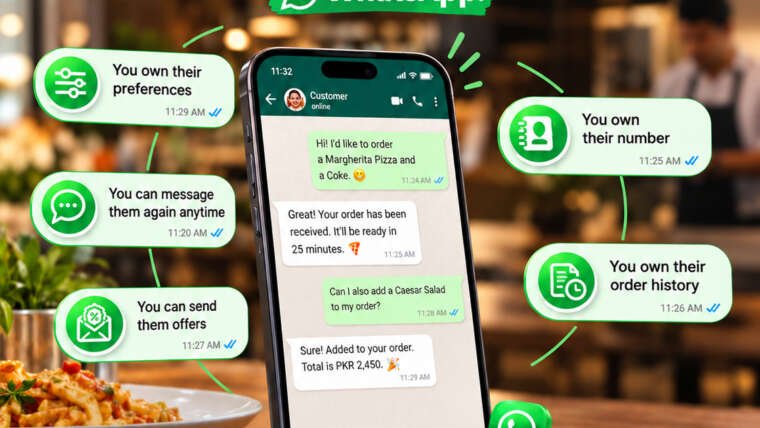

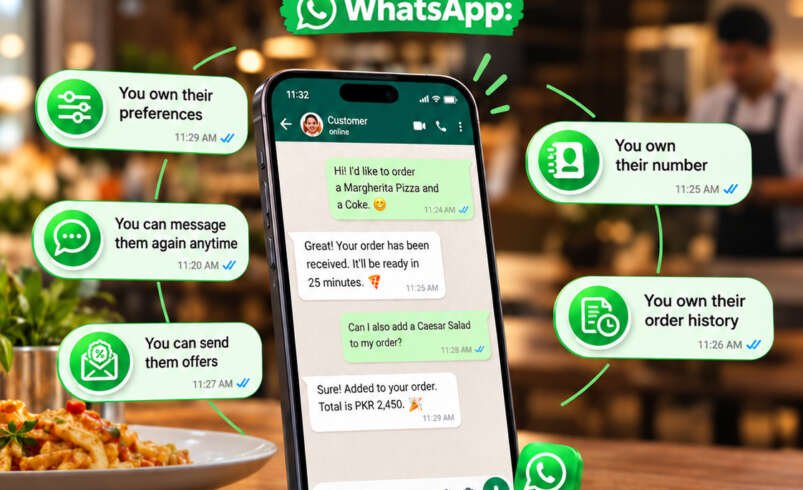

Restaurant customers do not always want to download another application, visit a website or wait for someone to answer the phone before placing an order. Many already prefer sending a quick WhatsApp message to ask about a menu, check prices or arrange food delivery.
For restaurant owners, however, managing these conversations manually can become difficult. During lunch and dinner rushes, messages arrive while staff members are handling walk-in customers, preparing orders and coordinating deliveries. Some messages get delayed, order details are misunderstood, and customers may move to another restaurant.
This is where a WhatsApp ordering system for restaurants can make a difference.
By connecting WhatsApp with restaurant ordering software, businesses can create a more organised process for sharing menus, collecting customer requests, confirming orders and communicating updates.
But not every WhatsApp ordering solution offers the same capabilities. Some simply forward customer messages to a shared inbox, while more advanced systems use conversational AI and restaurant POS integration to connect customer orders with daily operations.
In this guide, we will explain how WhatsApp ordering works, which features restaurant owners should evaluate, how to compare different solutions and what to consider before investing in restaurant ordering automation.
What Is a WhatsApp Ordering System for Restaurants?
A WhatsApp ordering system is a digital ordering solution that allows customers to interact with a restaurant through WhatsApp instead of relying entirely on phone calls or separate ordering applications.
Customers can message a restaurant’s WhatsApp Business number, explore available menu items, ask questions and submit their food orders.
Depending on the software, the process can involve:
- Automated menu sharing and product information.
- Customer conversations through WhatsApp.
- AI-assisted order taking.
- Order confirmation and customer notifications.
- Restaurant POS and kitchen integration.
- Order status communication.
- Centralised management of incoming orders.
An AI-powered WhatsApp ordering system goes further by using conversational AI to understand customer requests and guide them through the ordering process.
For example, a customer might write:
“I want two chicken burgers, one large fries and a cold drink. Please make one burger without mayonnaise.”
Instead of requiring the customer to follow a complicated ordering process, an AI ordering assistant can interpret the request, collect the necessary details and help confirm the order.
The confirmed order can then enter the restaurant’s connected order management workflow.
The important distinction is that a WhatsApp ordering system should do more than receive messages. It should help restaurants turn customer conversations into properly managed orders.
Why Are Restaurants Moving Towards WhatsApp Ordering?
Restaurant ordering habits are changing. Customers increasingly expect convenient ways to communicate with businesses and receive quick responses.
Traditional ordering methods still have their place, but depending on one phone line or a manually managed WhatsApp inbox creates operational challenges.
Here are some common problems that restaurant owners experience.
1. Missed Orders During Busy Hours
Imagine a restaurant receiving 15 WhatsApp messages while the cashier is handling a queue of customers.
The employee must switch between the POS screen, incoming messages and kitchen requests.
Some customers receive immediate responses, while others wait.
An automated ordering workflow can help manage multiple customer conversations and reduce the amount of repetitive manual communication.
2. Incorrect Order Details
Manual order taking creates opportunities for mistakes.
An employee might misunderstand the customer’s selected size, quantity, toppings or delivery address.
A structured ordering process should confirm important details before submitting an order.
For restaurants, this is particularly important when customers order meal combinations, customised dishes or multiple items.
3. Repeated Menu Questions
Restaurant employees regularly answer questions such as:
- What is available on today’s menu?
- How much does a family deal cost?
- Do you offer home delivery?
- Is this item available?
- What time does the restaurant close?
A WhatsApp AI ordering assistant can help answer routine questions using accurate restaurant information.
4. Manual Order Entry
One of the biggest operational problems occurs when staff receive an order on WhatsApp and then manually enter the same information into the restaurant POS.
This creates unnecessary work and increases the risk of incorrect entries.
A connected WhatsApp ordering system should transfer confirmed orders into the restaurant’s order management workflow.
5. Difficulty Managing Multiple Branches
Restaurant chains often operate different branches with separate delivery areas, opening hours and operational requirements.
Without a centralised process, managing customer orders across multiple locations can become complicated.
A suitable system should support the branch-level settings and order visibility required by the business.
How Does a WhatsApp AI Ordering System Work?
A WhatsApp AI ordering system connects the customer’s messaging experience with the restaurant’s ordering operations.
Although the exact process varies by provider, a typical workflow involves the following steps.
Step 1: Customer Contacts the Restaurant
The customer opens WhatsApp and sends a message to the restaurant’s registered business number.
This could happen through a website link, social media profile, QR code or saved business contact.
No separate restaurant application is required to begin the conversation.
Step 2: The AI Assistant Shares the Menu
The ordering assistant responds with available menu information, including food items, descriptions and prices.
A connected menu catalogue helps customers explore available products without repeatedly requesting the menu from restaurant employees.
Step 3: The Customer Selects Food Items
Customers communicate their requirements through the conversation.
They may select products, quantities, sizes and available customisations.
The ordering system should use the restaurant’s configured menu and pricing information rather than relying on AI-generated assumptions.
Step 4: The Order Is Confirmed
Before the order is submitted, the important details should be checked.
These may include:
- Selected food items.
- Quantities and customisations.
- Total order amount.
- Customer contact details.
- Delivery address or pickup preference.
- Available payment method.
Clear confirmation reduces misunderstandings between the restaurant and its customers.
Step 5: The Order Reaches Restaurant Operations
Once confirmed, the order should enter the connected restaurant POS or order management system.
The kitchen team can then receive the order through the appropriate kitchen workflow.
Step 6: Customers Receive Order Updates
The restaurant can keep customers informed as their orders move through different stages.
For example:
- Order confirmed.
- Preparing.
- Ready for dispatch.
- Out for delivery.
- Delivered.
These updates reduce uncertainty and make communication easier for both customers and restaurant employees.
10 Important Features to Look for in WhatsApp Ordering Software
Choosing restaurant ordering software should involve more than checking whether a provider offers an AI chatbot.
The real question is whether the software can support your restaurant’s complete ordering workflow.
Here are ten features worth evaluating.
1. Official WhatsApp Business Platform Integration
Check whether the provider uses the official WhatsApp Business Platform rather than an unofficial automation workaround.
The official platform provides a business messaging infrastructure designed for customer communication and supported integrations.
Ask the provider how the business number is registered, what setup is required and which messaging policies apply.
2. AI-Powered Customer Conversations
A useful restaurant chatbot should understand customer requests rather than simply repeating fixed responses.
Test realistic messages, including:
- Different food item names.
- Questions about menu prices.
- Requests for available deals.
- Customisation instructions.
- Common spelling mistakes.
The assistant should respond using the restaurant’s actual information.
3. Dynamic Menu Management
Menu accuracy is essential for successful restaurant ordering.
Look for a system that allows authorised employees to update:
- Food names and descriptions.
- Product prices.
- Menu categories.
- Food images.
- Available items.
- Special offers.
When a restaurant sells out of a particular dish, customers should not continue receiving outdated availability information.
4. Restaurant POS Integration
This is one of the most important features to evaluate.
A WhatsApp chatbot may collect customer information, but the restaurant still needs a reliable way to process the order.
With POS integration, confirmed WhatsApp orders can enter the restaurant’s existing order management workflow.
This helps reduce double data entry and gives staff a more consistent view of incoming orders.
5. Kitchen Display Integration
Restaurant employees need to know what customers have ordered and which items require preparation.
A connected Kitchen Display System (KDS) can help bring WhatsApp orders into the kitchen’s workflow.
Before purchasing, ask whether incoming orders appear alongside dine-in, takeaway and other delivery orders.
6. Automated Order Confirmations and Notifications
Customers should receive clear communication after submitting an order.
Automated notifications can communicate confirmation and preparation or delivery status.
This reduces the need for staff to manually answer repeated order-status questions.
7. Multilingual Customer Communication
Restaurants serve customers with different communication preferences.
A suitable conversational ordering system should be evaluated using the languages your customers actually use.
For restaurants serving Pakistani customers, testing English, Urdu and Roman Urdu conversations can be particularly useful.
Do not rely only on a provider’s general multilingual claims. Ask for a practical demonstration.
8. Multi-Branch Order Management
If your business operates several branches, check whether the system supports:
- Branch-specific menus and settings.
- Separate opening hours.
- Different delivery zones.
- Centralised order visibility.
- Branch-level reporting.
A restaurant chain needs more than a single WhatsApp inbox.
9. Order Tracking and Delivery Communication
Order tracking is important for restaurants that manage their own delivery operations.
Customers should receive relevant updates as the order moves from confirmation to preparation and delivery.
Also check how the ordering system connects with your existing rider and delivery management processes.
10. Reporting and Customer Management
A restaurant should be able to understand how its WhatsApp ordering channel is performing.
Useful information can include:
- Incoming order volume.
- Completed orders.
- Popular menu items.
- Customer order history.
- Branch-level performance.
- Ordering trends.
These insights can help management make better decisions about menus, staffing and promotions.
WhatsApp Ordering vs Manual WhatsApp Ordering
Many restaurants already accept orders through WhatsApp. However, manually receiving messages is different from having an integrated ordering system.
| Feature | Manual WhatsApp | AI Ordering System |
| Menu sharing | Staff sends menu | Automated menu sharing |
| Customer responses | Manually managed | AI-assisted conversations |
| Order collection | Employee reads messages | Structured ordering workflow |
| Order entry | Often entered manually | Can connect with POS |
| Order notifications | Staff sends updates | Automated updates |
| Multiple conversations | Depends on staff capacity | Automated conversation handling |
| Menu availability | Staff communicates changes | Can use connected menu data |
| Reporting | Manual records | Depends on platform analytics |
| Branch management | Separate coordination | Can support centralised management |
The right choice depends on order volume and operational complexity.
A small restaurant receiving a few messages each day might manage with a basic setup.
A restaurant receiving frequent orders across multiple branches may benefit from a connected AI ordering and POS solution.
WhatsApp Ordering vs Traditional Online Ordering Apps
WhatsApp ordering and traditional online ordering apps serve different customer preferences.
A branded ordering app gives customers a dedicated interface for browsing products, selecting options and submitting orders.
WhatsApp ordering allows customers to interact with the restaurant through a messaging channel they already use.
| Comparison | WhatsApp Ordering | Traditional Ordering App |
| Customer access | Through WhatsApp | Through an installed or web application |
| Communication | Conversational | Primarily interface-based |
| Menu browsing | Chat or catalogue | Dedicated menu interface |
| Order placement | Through messaging workflow | Through checkout |
| Customer interaction | Messaging-based | App-based |
| Best suited for | Customers who prefer messaging | Customers who prefer structured browsing |
Neither channel needs to replace the other.
Restaurants can offer both to accommodate different customer preferences.
The most important consideration is ensuring that orders from different channels reach a properly organised restaurant management workflow.
How Much Does a WhatsApp Ordering System Cost?
The cost of WhatsApp ordering software depends on the provider, restaurant size, required features and integration requirements.
Before comparing prices, understand the possible cost components.
- Software subscription
Some providers charge a monthly fee for access to the ordering platform.
- WhatsApp Business messaging charges
Official business messaging may involve charges under Meta’s applicable pricing structure and message categories.
- Setup and integration
Connecting the WhatsApp Business number, configuring the menu and integrating the restaurant POS may involve setup costs.
- Additional restaurant branches
Multi-location businesses may require additional subscriptions, users or branch-specific configurations.
- Support and maintenance
Ask whether technical support, training, updates and ongoing maintenance are included.
Do not select software based only on its lowest advertised monthly price.
Instead, calculate the total cost of ownership and compare it with the operational work the system can reduce.
How to Choose the Right WhatsApp Ordering System: A Practical Checklist
Before making a final decision, use this checklist during your software evaluation.
- Does the provider use the official WhatsApp Business Platform?
- Can customers explore the restaurant’s menu?
- Does the AI understand natural customer requests?
- Can customers specify quantities and available customisations?
- Are prices based on the actual restaurant menu?
- Does the system connect with your existing POS?
- Can confirmed orders reach the kitchen?
- Can customers receive automated order updates?
- Does it support the languages your customers use?
- Can it manage multiple restaurant branches?
- Does it offer useful order reporting?
- Is there a clear process for technical support?
- Are setup and messaging charges explained?
- Can the provider demonstrate a complete order from customer message to kitchen ticket?
A live demonstration is especially important.
Ask the provider to show a realistic order, including a menu question, an item customisation, order confirmation and the transfer of that order into the restaurant’s operational system.
This will tell you much more than a list of advertised features.
Why Restaurant POS Integration Matters for WhatsApp Ordering
An AI chatbot can make customer communication easier, but restaurant operations do not end when the customer submits an order.
The order must reach the correct employees, be prepared accurately and move through the delivery process.
This is why restaurant POS integration matters.
Consider a restaurant receiving orders through four channels:
- Walk-in customers.
- Restaurant phone calls.
- Online ordering applications.
- WhatsApp conversations.
If each channel is managed separately, employees may need to switch between different screens and manually transfer information.
An integrated Restaurant Management System can bring these ordering channels into a more connected operational workflow.
The restaurant can manage incoming orders, kitchen preparation, delivery coordination and reporting through connected systems.
For restaurant owners, this means evaluating WhatsApp ordering as part of the wider restaurant technology setup rather than treating it as an isolated chatbot.
How CherryBerry RMS Helps Restaurants Manage WhatsApp Orders
CherryBerry RMS provides a WhatsApp AI Ordering System designed for restaurants, cafes and cloud kitchens.
Its WhatsApp ordering solution connects customer conversations with restaurant operations.
Customers can interact through WhatsApp, explore menu information, select food items and submit orders without downloading a separate ordering application.
The system includes several restaurant-focused capabilities.
AI-Powered WhatsApp Ordering
Conversational AI helps customers communicate their ordering requirements through WhatsApp.
It can assist with menu-related questions and customer ordering conversations.
Dynamic Menu Catalogue
Restaurant teams can manage menu information through the connected dashboard, including product details, prices and item availability.
Multilingual Ordering
The system supports customer conversations in English, Urdu and Roman Urdu, helping restaurants serve customers with different communication preferences.
Direct POS and Kitchen Integration
Confirmed WhatsApp orders connect with CherryBerry POS and kitchen management workflows.
This helps reduce the need for employees to manually enter the same order information again.
Automated Order Notifications
Customers can receive updates as their orders move through the preparation and delivery process.
Multi-Branch Order Management
Restaurant chains can manage their WhatsApp ordering operations across different branches using connected management tools.
Connected Restaurant Operations
WhatsApp ordering works alongside other CherryBerry RMS capabilities, including:
- Cloud-Based Restaurant POS.
- Kitchen Management.
- Restaurant Back Office.
- Rider App.
- Online Ordering Apps.
- Restaurant Call Center.
- Table Reservation.
Rather than managing customer orders as isolated messages, restaurants can connect their ordering channel with their wider operational processes.
Explore the CherryBerry RMS WhatsApp AI Ordering System to understand how the solution fits your restaurant’s ordering workflow.
Final Thoughts
Choosing a WhatsApp ordering system for restaurants is not simply about finding a chatbot that can respond to customer messages.
The right solution should help restaurants manage the complete ordering journey, from menu sharing and customer communication to order confirmation, POS integration and delivery updates.
Before investing, evaluate the software using real restaurant scenarios. Check its menu accuracy, order processing capabilities, integration options, multilingual communication and support for multiple branches.
Most importantly, choose a solution that fits your restaurant’s actual operations and can support its future growth.
If you want to connect customer conversations with a more organised restaurant ordering workflow, explore CherryBerry RMS and see how its WhatsApp AI Ordering System can support your business.
Ready to simplify restaurant order management? Book a free demo with CherryBerry RMS.
Frequently Asked Questions
1. What is the best WhatsApp ordering system for restaurants?
The best system depends on your restaurant’s requirements. Look for official WhatsApp Business integration, accurate menu management, AI-assisted order taking, POS integration, automated notifications and reporting.
2. How does a WhatsApp ordering system work?
Customers message a restaurant’s WhatsApp Business number, explore the menu, select food items and confirm their orders. Depending on the platform, the order is then transferred into the restaurant POS or order management system.
3. Can restaurants automate food orders through WhatsApp?
Yes. Restaurants can use AI-powered ordering solutions to assist with menu questions, customer conversations, order collection and notifications. The extent of automation depends on the software and its integrations.
4. Does WhatsApp ordering software integrate with restaurant POS systems?
Some solutions provide direct POS integration. This allows confirmed WhatsApp orders to enter the restaurant’s order management workflow rather than requiring employees to enter them manually. Always verify compatibility with your existing POS.
5. Is WhatsApp AI ordering suitable for cloud kitchens?
Yes. Cloud kitchens can use WhatsApp ordering to manage customer conversations and direct food orders. Integration with order management and kitchen workflows can be particularly useful for delivery-focused businesses.
6. Can a WhatsApp ordering system manage multiple restaurant branches?
Some platforms support multi-branch ordering, allowing businesses to manage different menus, opening hours and delivery areas. Check the provider’s branch management capabilities before purchasing.
7. What is the difference between WhatsApp Business and WhatsApp AI ordering software?
The WhatsApp Business app provides basic business communication tools and manual messaging. A connected AI ordering solution adds automated customer conversations, structured order collection and potentially POS and restaurant management integrations.
8. Does WhatsApp AI ordering replace restaurant employees?
No. It can reduce repetitive communication and manual order-taking tasks, allowing employees to focus on food preparation, customer service and other restaurant responsibilities.
9. Can customers receive order updates through WhatsApp?
Yes. Depending on the platform’s configuration, customers can receive automated notifications about order confirmation, preparation and delivery status.
10. How can I choose the right WhatsApp ordering software?
Compare the provider’s AI capabilities, menu accuracy, POS compatibility, kitchen integration, messaging costs, multilingual support, branch management and technical support. Request a live demonstration before making your decision.