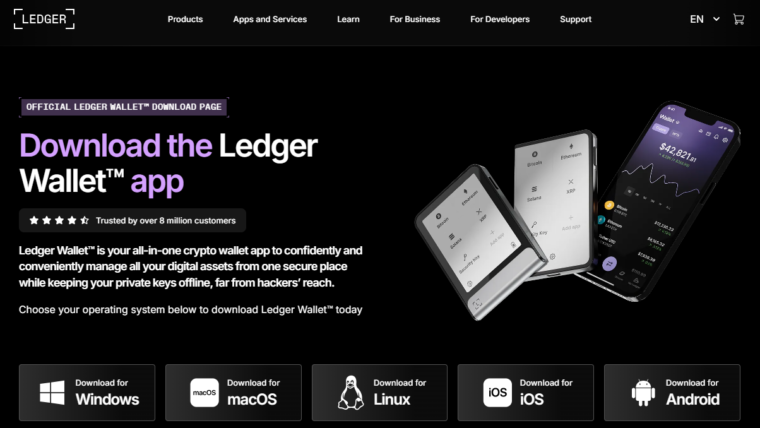


The Ledger Live App is designed to provide users with a convenient way to manage their digital assets through a single application. With an organized dashboard, accessible account information, and useful portfolio management features, it helps simplify everyday wallet activities. Whether someone is new to hardware wallets or already familiar with managing multiple accounts, Ledger Live offers an interface for exploring supported services and monitoring account activity.
In today’s digital environment, having a clear overview of wallet accounts is important. Users often want an application that makes checking balances, reviewing transactions, and understanding portfolio changes easier. Ledger Live brings several of these activities together, helping users access relevant information without navigating multiple separate platforms.
What Is the Ledger Live App?
Ledger Live is an application developed by Ledger that works with compatible Ledger hardware wallets. It provides an interface for viewing supported accounts, managing certain asset-related activities, and exploring available services. Users can install the application on supported desktop or mobile devices, depending on their operating system and device compatibility.
The application is designed to work alongside a Ledger hardware wallet. This combination allows users to view account information through the application while approving supported transactions using their hardware device. Its dashboard presents account details in an organized format, making it easier to understand wallet activity.
Main Features of Ledger Live App
The application includes several features that help users manage their accounts and explore available services.
1. Portfolio Tracking
The portfolio dashboard provides an overview of supported assets across different accounts and networks. Users can monitor portfolio values, review market movements, and understand changes in their holdings. This feature makes it easier to keep track of account activity from one location.
2. Sending and Receiving Assets
Users can send and receive supported assets through compatible accounts. When sending a transaction, it is important to verify the recipient’s address and transaction details carefully. The connected hardware device provides an additional confirmation step before supported transactions are approved.
3. Buying and Selling Options
Ledger’s application provides access to buying and selling services through selected third-party providers. Available payment methods, supported assets, fees, and regional availability can vary. Users should compare the displayed offers and review provider conditions before proceeding.
4. Swapping and Staking
The application also provides access to selected swapping and staking services. Swapping allows users to exchange supported assets through integrated providers, while staking may offer opportunities to participate in supported blockchain networks. Availability and potential rewards depend on the asset, network, provider, and applicable conditions.
How to Download Ledger Live App
Downloading the application from an authentic source is an important part of getting started. Ledger provides desktop versions for Windows, macOS, and Linux, along with mobile versions for compatible Android and iOS devices.
Follow these general steps:
-
Visit Ledger’s official website.
-
Find the application download section.
-
Select the version compatible with your device.
-
Download the installation package.
-
Follow the installation instructions.
-
Open the application and follow the setup guidance.
-
Connect your compatible Ledger hardware wallet when required.
-
Review the available account management options.
Always verify that the website and downloaded application are genuine. Avoid advertisements, unofficial download pages, unexpected links, and files shared through unknown sources.
Official download information is available at Ledger’s official website.
Understanding Security and Privacy
Security is an important consideration when managing digital assets. Ledger’s hardware wallet system is designed to keep private keys offline in the device rather than exposing them through an ordinary internet-connected application.
The application acts as an interface for viewing accounts and preparing supported transactions. Users must review and approve transactions using their compatible hardware device. This separation helps users maintain control over transaction authorization.
However, no application or device can eliminate every security risk. Users should follow essential safety practices, including:
-
Never share your recovery phrase with anyone.
-
Never enter recovery words into an unknown website.
-
Verify transaction details directly on your hardware device.
-
Download software only from official sources.
-
Keep your device firmware and application updated.
-
Be cautious of fake support representatives and suspicious messages.
Remember that recovery information should remain private and securely stored offline.
Is Ledger Live Suitable for Beginners?
Ledger Live offers an organized interface that can help beginners become familiar with wallet management. Its dashboard brings account information, transaction records, and portfolio details together, reducing the need to navigate several different applications.
New users can begin by exploring the available sections and learning how their hardware wallet works. Understanding account addresses, network compatibility, transaction fees, and recovery procedures is also important before making transfers.
Taking time to understand these basics can help users avoid common mistakes and become more comfortable with managing their accounts.
Ledger Live and Its Updated Identity
An important point for users searching online is that Ledger has updated the product’s branding. Ledger Live is now known as Ledger Wallet. The application continues the same product experience while expanding its features beyond basic portfolio monitoring. Users searching for Ledger Live are therefore looking for the application now presented under the Ledger Wallet name.
Ledger+1
This naming update is useful to understand when searching for installation instructions, product information, or official support resources.
Conclusion
Ledger Live App has provided users with an organized way to manage supported assets, monitor portfolios, and access useful wallet services through compatible Ledger hardware devices. Its combination of account management, transaction monitoring, and additional services makes it a practical option for people interested in self-custody.
Although the product is now branded as Ledger Wallet, its original Ledger Live name remains widely recognized. Whether exploring the application for the first time or learning about its updated features, users should prioritize official downloads, careful transaction verification, and responsible security practices. With proper understanding, the application can make everyday wallet management more organized and accessible.